You have downloaded an educational app for your child. Perhaps it was recommended by another parent, or you found it while searching for tools to help your toddler learn their alphabets. Now what? The difference between an educational app that genuinely accelerates learning and one that becomes just another source of passive screen time often comes down to how parents integrate the app into their child's daily life. With the right approach, a quality educational app becomes a catalyst for learning that extends far beyond the screen itself.
Start by Understanding the App Yourself
Before handing an educational app to your child, spend ten minutes exploring it yourself. Navigate through all the categories. Listen to the audio pronunciations. Test the features. Understanding what the app offers allows you to make informed decisions about how to use it and gives you the vocabulary to discuss the content with your child.
When you explore Sikho Kids, for example, you will discover twelve distinct learning categories covering everything from the English alphabet and Hindi Varnmala to animals, colors, and vehicles. You will find smart features like Auto Swipe for hands-free learning and Repeat Mode for focused practice. Knowing these features exist means you can guide your child toward them when appropriate — "Why don't you try the Repeat Mode for that letter you found tricky?"
Create an Intentional Routine
The most effective use of educational apps happens when app time is intentional rather than incidental. Rather than using the app as a default activity whenever your child needs to be occupied, designate specific times for educational app use — perhaps after breakfast for fifteen minutes, or as a calm-down activity before nap time.
This intentionality serves multiple purposes. It prevents overuse by establishing clear boundaries. It creates a routine that children find comforting and predictable. It signals to the child that this is "learning time" rather than "idle time," which subtly shifts their approach from passive consumption to active engagement. And it ensures that the app complements rather than displaces other important activities like outdoor play, reading, and social interaction.
Practice Co-Learning
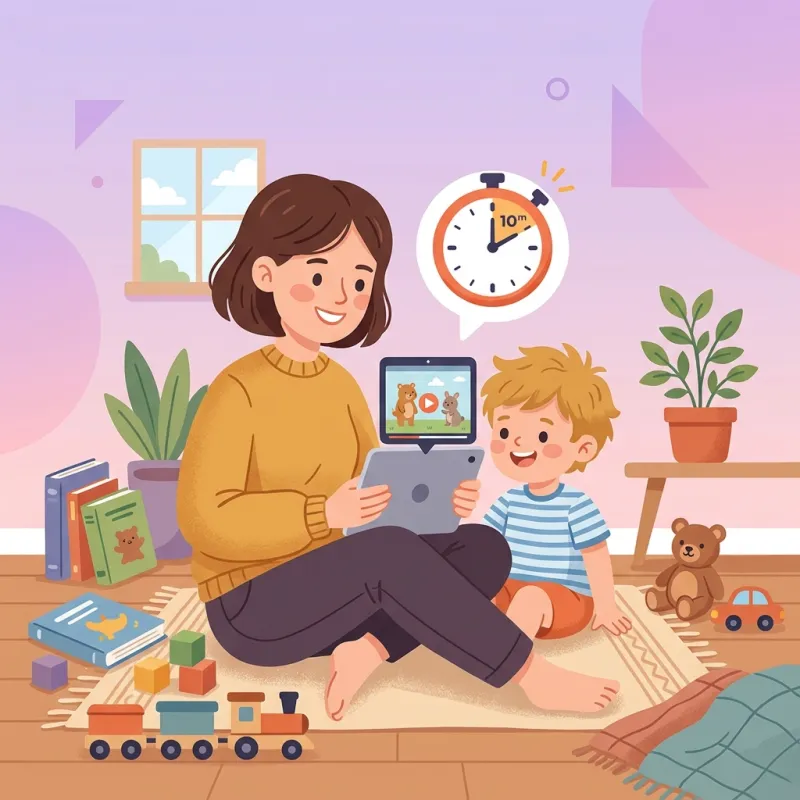
Research consistently shows that children learn more from educational media when an adult is present and engaged. This does not mean you need to sit beside your child for every minute of app use, but regular co-learning sessions dramatically amplify the educational impact.
During co-learning sessions, try these techniques:
- Ask questions: "What letter is that? What sound does it make? Can you think of something that starts with that letter?" Questions promote active recall and extend learning beyond the app's content.
- Make connections: "Look, that is a mango! We had mango for breakfast today. Do you remember what color it was?" Connecting app content to real-world experiences deepens understanding and shows children that learning is relevant to their daily lives.
- Model enthusiasm: "Oh wow, I did not know that was called a toucan! What a beautiful bird!" Your genuine excitement about learning is contagious and teaches children that curiosity is valued.
- Praise effort: "You are trying so hard to say that Hindi letter! Great job practicing!" Focus praise on effort and persistence rather than correctness to build a growth mindset.
Extend Learning Beyond the Screen
The greatest educational value of an app often lies not in the screen time itself, but in the offline conversations and activities it inspires. Every app session is an opportunity to seed learning experiences that continue after the device is put away.
If your child was exploring the animals category, follow up with a trip to the zoo or a nature walk to spot local birds. If they were practicing numbers, count the stairs as you climb them or the buttons on a shirt as you get dressed. If they were learning about vehicles, point out different types of vehicles during your next car ride. This transfer of digital learning to real-world contexts is what transforms screen time from a standalone activity into a launching pad for rich, experiential learning.
Set Clear and Consistent Boundaries
Even the best educational app should be used in moderation. Young children need a diverse diet of activities for healthy development, and no single activity — no matter how educational — should dominate their waking hours. Establish clear rules about when, where, and for how long the app can be used, and enforce these boundaries consistently.
Helpful boundary-setting strategies include:
- Use a timer: Set a visible timer so your child can see how much app time remains. This gives them a sense of control and makes transitions easier by making the endpoint predictable and visible.
- Establish no-app zones: Designate certain times and places as app-free — mealtimes, bedtime, outdoor play. This ensures that digital learning does not encroach on other essential activities.
- Model healthy habits: Children learn more from what they see than what they are told. If you want your child to have a balanced relationship with screens, demonstrate one yourself by limiting your own unnecessary device use during family time.
Monitor Progress Without Pressure
Pay attention to which categories your child gravitates toward and which they avoid. A child who consistently chooses the colors category but avoids numbers might need more support and encouragement in the numeracy domain. Conversely, a child who has mastered all the basic categories might be ready for more challenging content.
However, avoid turning progress monitoring into a source of pressure. The goal of educational apps for young children is to build positive associations with learning, not to achieve specific performance benchmarks. If your child seems stressed or resistant, back off and let them approach the content at their own pace. A child who enjoys learning is more likely to succeed in the long run than a child who learns under duress.
Evaluate and Curate Your App Library
Not all educational apps are worth your child's time. Regularly evaluate the apps on your child's device and remove those that do not meet your quality standards. Warning signs of poor-quality educational apps include excessive advertisements that interrupt learning, manipulative engagement tactics like countdown timers or loss-aversion mechanics, complex navigation that requires adult help, and content that is not developmentally appropriate.
A small library of high-quality apps is far more valuable than a crowded home screen full of mediocre ones. Focus on apps that have clear educational objectives, intuitive interfaces, minimal distractions, and content that aligns with your child's developmental stage and learning goals.
Remember: You Are the Most Important Teacher
No app, no matter how brilliantly designed, can replace the educational impact of an engaged, loving parent. Educational apps are tools — powerful tools, certainly, but tools nonetheless. They work best when wielded intentionally by parents who understand their child's needs, interests, and developmental stage.
The time you spend sitting with your child during an app session, asking questions about what they are learning, connecting digital content to real-world experiences, and celebrating their progress — this is what transforms a good educational app into an extraordinary learning experience. The app provides the content; you provide the context, the connection, and the love that make learning truly meaningful.
The best educational technology is not the one with the most features — it is the one that brings parent and child together in shared wonder and discovery.
By approaching educational apps as partners in your child's learning journey rather than as babysitters or substitutes, you can unlock their full potential and give your child a head start that goes far beyond any screen.